
AIM: This article will show you how to connect to a printer using File Explorer in Window 7 and Windows 8.x
The steps outlined below will help if:
- You have lost connection to a printer
- If you want to connect to a new printer
Step01:
Go to the Taskbar on your Desktop and select File Explorer

Step02:
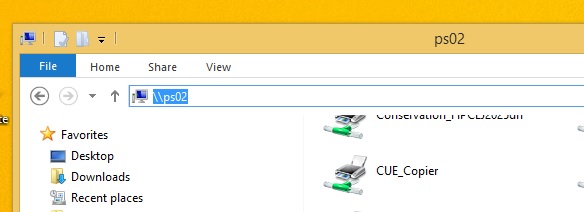
In the Address bar: type \\ps02 for Printers at Forest Hill and \\ps03 for printers at the SCC.
Step03:
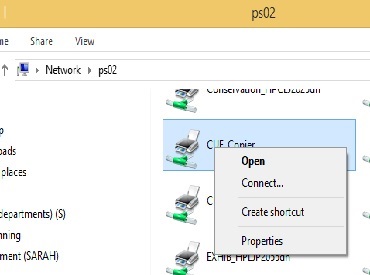
Select the required printer from the list, right click with your mouse, and select Connect
Tip: When using a virtual machine, if you disconnect rather than sign out, the network connection may need to be refreshed by signing out and then logging in again.
Comments
0 comments
Please sign in to leave a comment.